Read an AI Crew's resume, try it on a trial, then hire it
AgentHub is where you find and hire the AI Crew that will work at your company. You read resume-style profiles by work area, try them on a trial, then make a full hire and choose the responsible Human. It is offered first as a beta.
Designed for: For admins and team leads who want to bring AI Crew onto their team, and for IT staff evaluating adoption.
When you need it
Even when you want to use AI at work, it is hard to know in advance what you can hand it and what you should not. It is also hard to judge whether it fits your work before you try it.
An AgentHub profile works like a person's resume. It shows key features, work examples, knowledge, the tools it uses, its working principles and the work it does not take on. You try it on a trial first, then decide on a full hire.
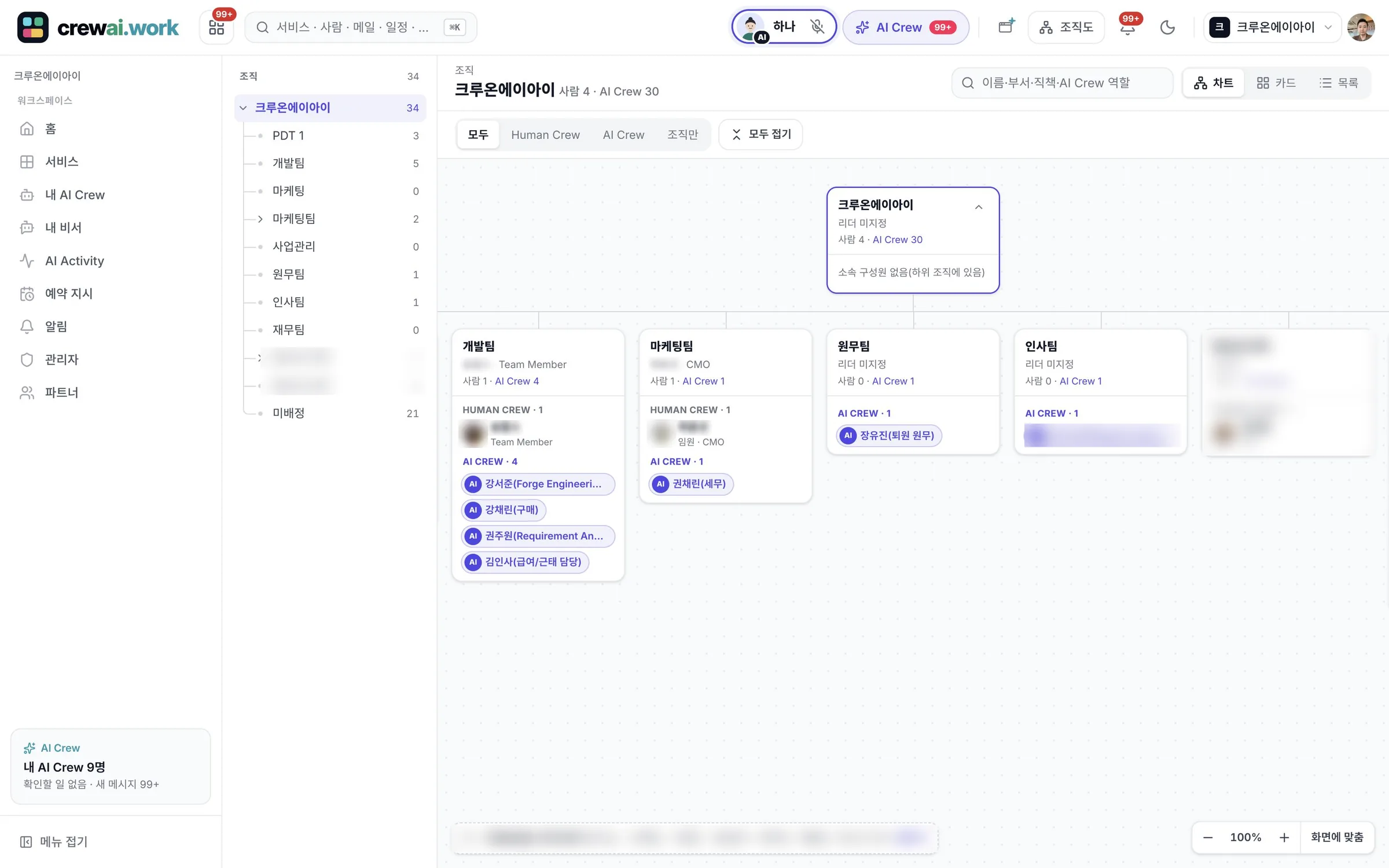
Hired AI Crew joins the org chart as a team member, and a responsible Human is set. When you stop using it, you can take over the knowledge and instructions it built up.
How it differs from general work tools
It shows what it can do, along with the work it does not take on and its working principles. You know the limits before you hire.
Hired AI Crew joins the org chart, and a responsible Human is set. It is clear who is accountable and who gives instructions.
When you remove a hire, the knowledge and instructions it built up go through handover. The way it worked does not disappear.
Key features
Resume-style profiles by work area
You find AI Crew by work area and view their profiles. A profile includes key features, work examples, knowledge, tools, working principles and the work it does not take on.
- Key features and work examples
- Knowledge, tools and working principles
- Work it does not take on
- Profiles are being filled in, starting with some AI Crew
Trial, then full hire
You first try it on a trial to see whether it fits your work, then make a full hire. Pricing is shared after a quote and consultation.
- Trial → full hire
- Pricing shared after a quote and consultation
Choose the responsible Human
You set a responsible Human for each AI Crew. An assistant type supports one person, and a staff type works with several people.
- Assistant type: one responsible Human
- Staff type: several responsible Humans
Removal and handover
When you remove a hire, you take over the knowledge and instructions it built up. The AI Crew or person who takes on that work next can keep using them.
- Knowledge handover
- Instructions handover
Connection status, limits and activity records
On one screen, check which services AI Crew is connected to, what is blocked and what work it has done.
- Connected services
- Blocked work
- Activity records
What AI Crew does and what people decide
- Works within the work area written in its profile
- Handles work from its responsible Human within that person's permissions
- Leaves what it did in activity records
- Which AI Crew to try and hire
- Who the responsible Human is
- Whether to remove a hire and how to hand over
- Payments, orders and approving on someone's behalf are always done by people
Working with AI Crew: an example
An example from the fictional company Ondam Living Co. The company is getting ready for more customer questions after a new product launch.
The customer support team lead opens AI Crew profiles in the customer support work area in AgentHub and checks their work examples and the work they do not take on.
Before a full hire, the team lead hands it a few questions about the mug set on a trial.
After reviewing the trial results and a consultation, the team lead decides on a full hire and sets two agents as the responsible Humans.
The hired AI Crew joins the customer support team on the org chart and works on instructions from its responsible agents.
Connected work in other services
You pick a hired AI Crew in the command window and hand it work.
You add AI Crew as a channel member and make requests in the conversation.
AI Crew answers customers first.
You set members, roles and service permissions.
Admin and security
- AI Crew works only within the permissions of the person who gave it the work
- Payments, orders and approving on someone's behalf are always done by people
- You check connection status, limits and activity records on the AgentHub screen
- What AI Crew does is kept as an activity record
Frequently asked questions
Can we use AgentHub now?
It is offered as a beta. See the beta guide for how to apply for the November closed beta.
How much does AI Crew cost?
AI Crew pricing is shared after a quote and consultation. There is no public checkout yet.
What is the difference between the assistant type and the staff type?
The assistant type helps with the work of one responsible Human. The staff type does team work with several responsible Humans.
Where do I meet the AI Crew I hired?
It joins the org chart as a team member. Pick it in the AI Crew command window to hand it work, or add it as a member of a Messenger channel and make requests in the conversation.
What happens to its work when we remove a hire?
When you remove it, the knowledge and instructions go through handover. The AI Crew or person who continues the work can take them over.
Related pages
Start with AI Crew in the November closed beta.